

Security
Your company's data stays your company's
The rules that protect your records live in the database, not only in the screens. Here is what that means, in plain words.
-
Walled off by the database itself
Every record carries the company it belongs to. The database shows people only their own company's records, on every read and every change, and a record of one company can't point at a record of another. It isn't a filter in the app that could be forgotten: it is a rule the database enforces.
-
Roles the database enforces
Who can see and change what is checked by the database on every read and every change. A hidden button is a convenience; the rule underneath holds. The same goes for the business rules: a quote over the limit can't be marked sent, a job can't close without its money lines, nobody approves their own expense.
-
The database checks who is acting
The database believes a person is acting only after it has itself checked a live sign-in, a live customer link or the background worker's own login, for one step of work at a time. A taken-over app server can act only as the people using it at that moment: never inside a company where nobody is signed in, and never as a company's Automation helper, which only the background worker can be.
-
Passwords stored as argon2id hashes
At least 12 characters, kept only as an argon2id hash that can't be turned back into the password, and checked by the database itself, never by the app server. Every try is counted before it is answered, and the fifth try in a row locks the email for 15 minutes even when it is right. The message never says whether the email or the password was wrong.
-
Two-factor, recovery codes, trusted devices
After the password, a 6-digit code from an authenticator app, checked by the database itself, which holds the authenticator keys where the app server can't read them. Ten recovery codes, shown once. A device you tick as trusted signs in with the password alone for 30 days, then asks again. A new company requires two-factor from day one, and a first setup needs a code emailed to you.
-
Encrypted, write-only company keys
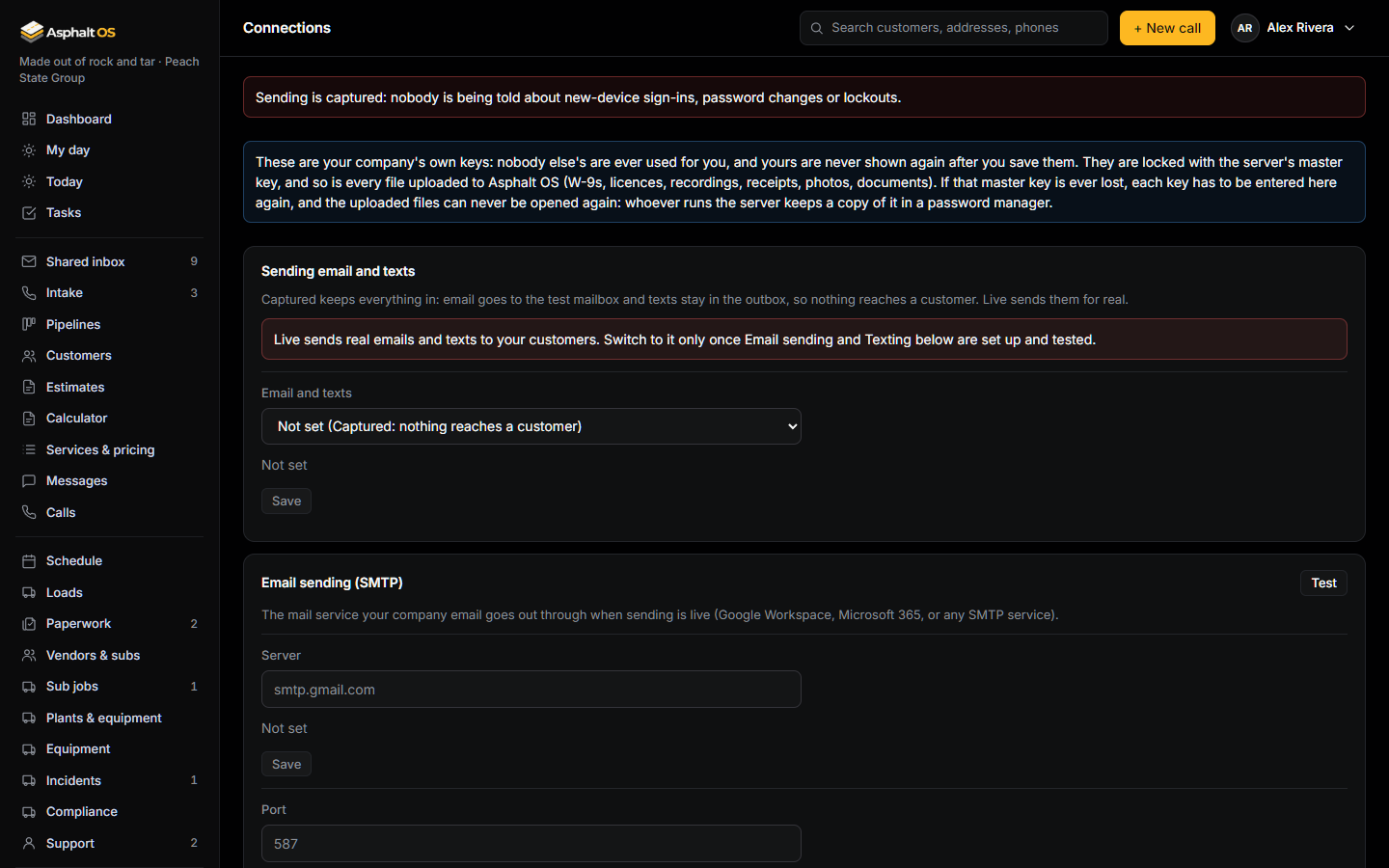
Your Twilio, mailbox, Stripe, QuickBooks and AI keys are encrypted in the database with the server's master key. Once saved, a key is never shown again, not even to the person who typed it, and changing one asks for your password again. Each feature reads only its own key; the mail, mailbox, texting, payment and QuickBooks keys are the background worker's alone, and so is the AI key whenever the shared inbox's AI uses it.
-
A history nobody can rewrite
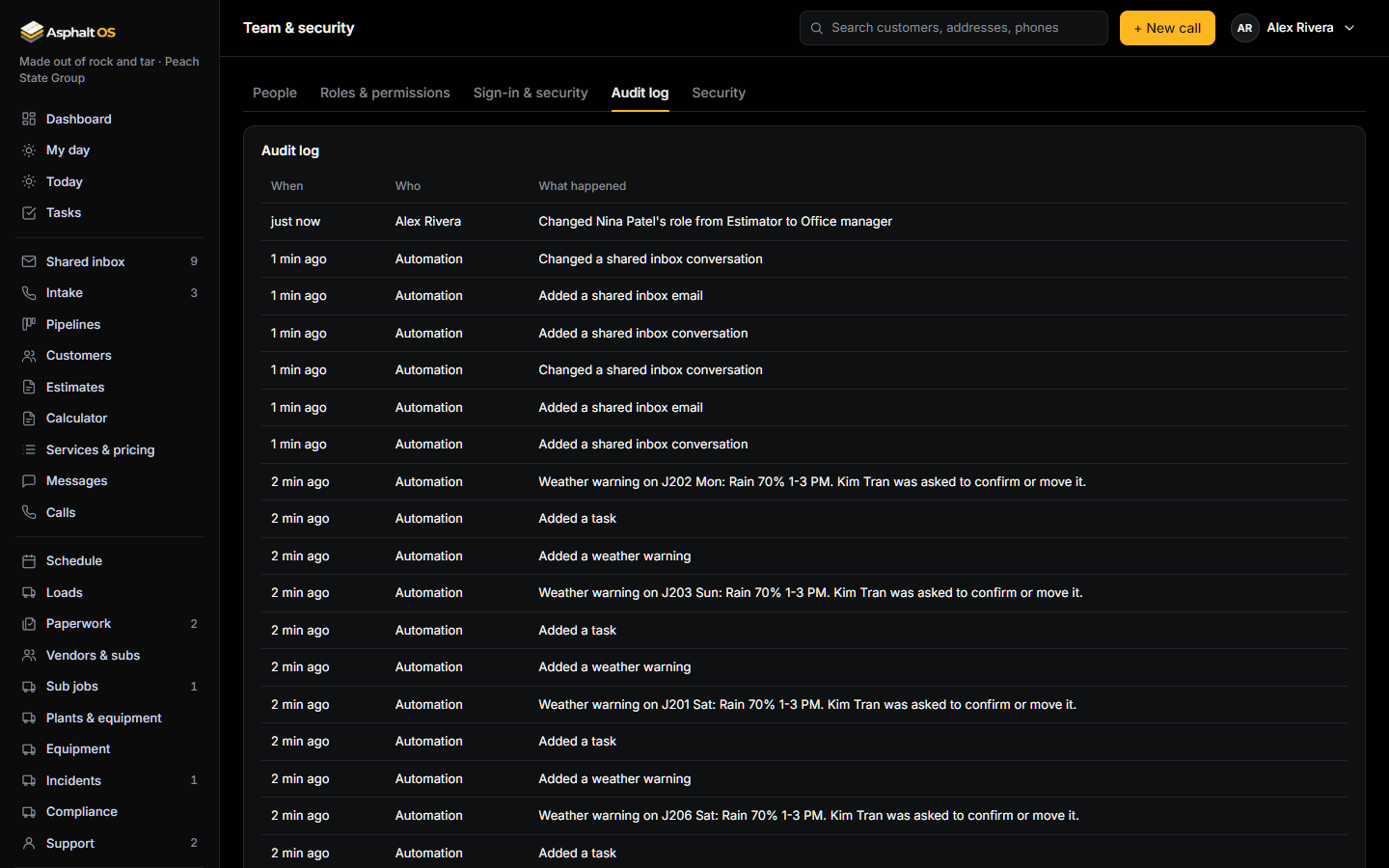
Changes to people, roles, settings and business records go into a log that can be added to but never edited or deleted, by anyone. Secrets, Social Security numbers and what the company pays for materials are never copied into it.
-
Backups every night, encrypted to your key
On your own server, the whole database, every uploaded file and the settings file are backed up every night at 2 AM, encrypted to a key only you hold, each backup checked by a test restore before it is kept, 30 days kept, with a second copy to another drive or an off-site bucket if you switch it on. A stolen server gives up nothing from its backups, and an upgrade refuses to run without a backup less than 24 hours old.
-
Things it never keeps
Payroll is tracked as totals only, and bank account numbers are never stored. Card numbers are never typed into Asphalt OS; a real payment goes through Stripe's own checkout. A person may enter their own Social Security number on their profile: encrypted, never shown back, revealed for ten seconds only with the password again, and every reveal is logged.
Behind the scenes
- The sign-in cookie can't be read by scripts on the page and is sent only to Asphalt OS. You are signed out after a quiet spell (30 minutes unless your company chose otherwise), and every sign-in ends after 12 hours.
- Every change must come from the Asphalt OS screens themselves; other websites can't make changes in your name. Asphalt OS pages can't be shown inside other websites.
- Every upload is encrypted on the disk under your company's own file key and stored in its own feature's folder, and a record can only point at files from its own feature. A receipt can never be opened through an incident. A deleted or replaced file is really gone, from the disk and from every later backup.
- Nothing about your jobs leaves the building unless you switch it on: weather, address lookup, texting, email, payments, QuickBooks and AI each wait for your company's own choice.
- The shared inbox's AI works through your company's own Anthropic key, called by the background worker alone. For each email it is sent the addresses, the subject, the text and the attachments' names, never their contents unless the owner switches that on, and never another company's mail. A suggested reply is written for the person who asked alone, from only the facts about the record they may see themselves; the morning digest from counts and subjects, never an email's text or a price, for people who work the shared inbox alone. A conversation, its tasks and its reminders only ever go to somebody who can open its box. It sends nothing by itself unless the owner lists the categories it may answer (then each reply is checked again by the database, marked "Sent by the AI" and given to a person to check), creates nothing by itself, and the server's log never records what an email said. The owner can also have old email text let go (the mailbox keeps every email) and each reply copied into the mailbox's own Sent folder; each switch is off to start and asks the owner's password again.
- Customers never sign in. They get links, each for one thing, that stop working after a while: the quote page, the billing form, the pay page, a document. Each link is made by the background worker as the email leaves, belongs to that one message, and proves its own company to the database. It never lands in the shared inbox, even when the letter comes back through your mailbox's Sent folder, a customer's reply, a forward or an attached copy, and it can't be pasted into a message written in the app.
- See every browser you are signed in on and sign any of them out. Dangerous changes (roles, exceptions, removing someone, invitations, the sign-in rules, a Connections change) ask for your password again. Asphalt OS staff accounts are always on two-factor, with no trusted devices.
- Security warnings about your own account reach you even while the company's sending is captured, are yours alone to see, and can't be edited, cancelled or faked. The owner is alerted to password guessing, in bursts or slow and spread out, and to every invitation and two-factor reset.
Open on purpose, and written down
- While someone is signed in, a taken-over app server can act as them and open the files that person could already see (each file has its own key, so never the whole company's), and a code phished from you in real time passes your second step. Those are the limits of the pilot's design.
Before launch
Three independent security audits have been done, the latest on 26 September 2026, every fix since has been attacked by an independent tester before it merged, and an outside break-in test is planned before launch.
Read more: Your company's data, Sign-in protections, Who can see what, Backups.
Ask us the hard questions
Bring your IT person or your insurer's questionnaire. We answer in writing.