

Sales
From the first call to a signed quote
Every lead goes through the same steps, whoever took the call. The clocks count business hours, the quote starts from your prices, and nothing goes to a customer without the rules being met.
Intake and phone calls
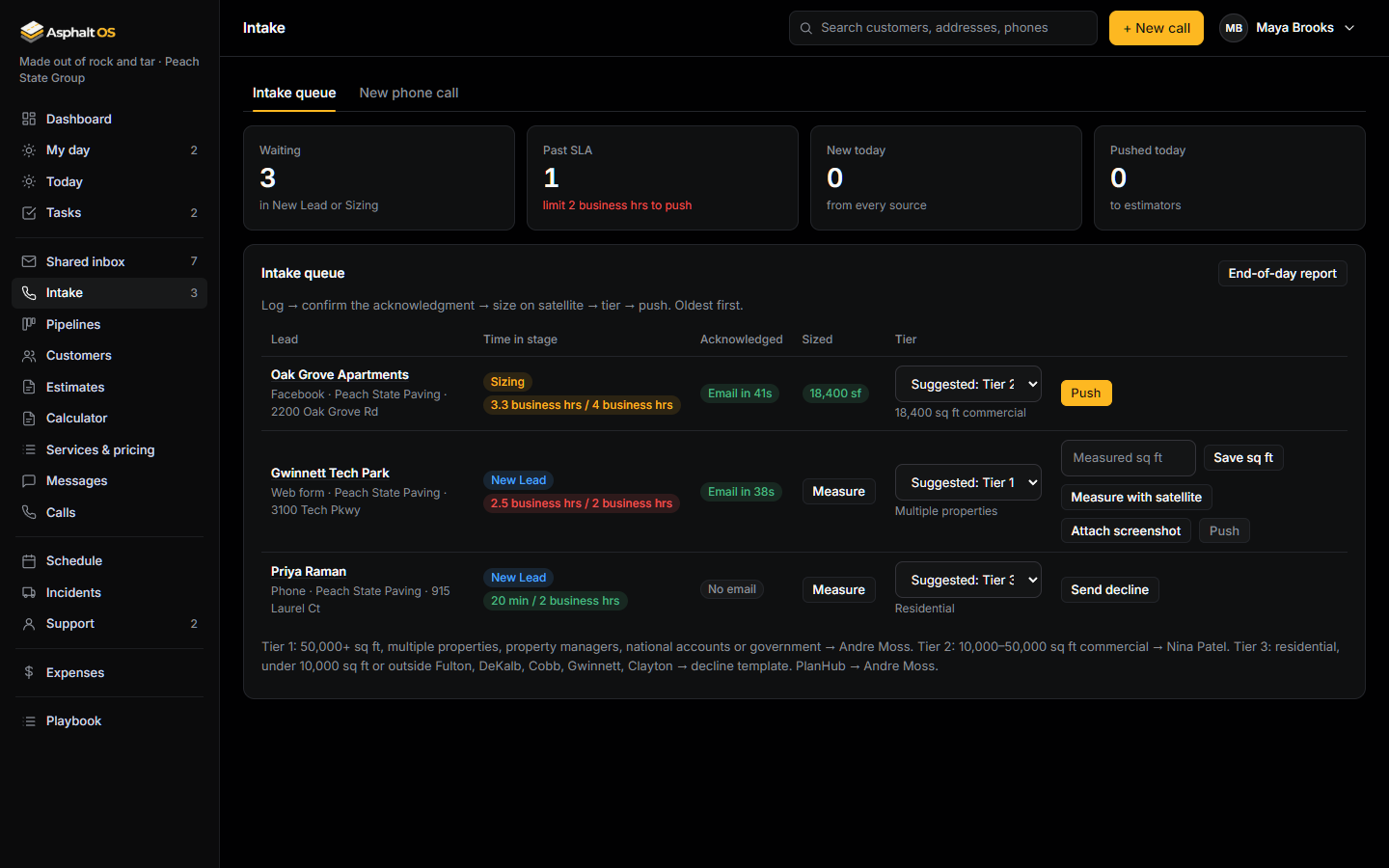
Press + New call anywhere. One form takes the caller, the number, the address, the services asked about and whether the caller agreed to texts. Taken by is always the person signed in.
- For every new lead, Asphalt OS sends the acknowledgment email (and a text, only with consent), gives the intake person a task and posts to the team.
- Your own website feeds the queue: paste the form code from Connections where your contact form goes, and each submission is a lead within seconds, with the campaign it came from (the utm tags Google and Meta ads put in the page's address) kept on the lead.
- The intake queue lists every lead in New lead or Sizing, oldest first, with its clock, its size and a suggested tier.
- Push needs an address, the measured square feet, a tier and a measurement screenshot. Tier 3 leads get a decline message instead.
- Once ten digits are typed, a returning caller is recognised, and the call is added to the customer you already have instead of making a second one. The text consent box starts empty on every call.
Read more: Intake and phone calls, Time limits and reminders.
The shared inbox
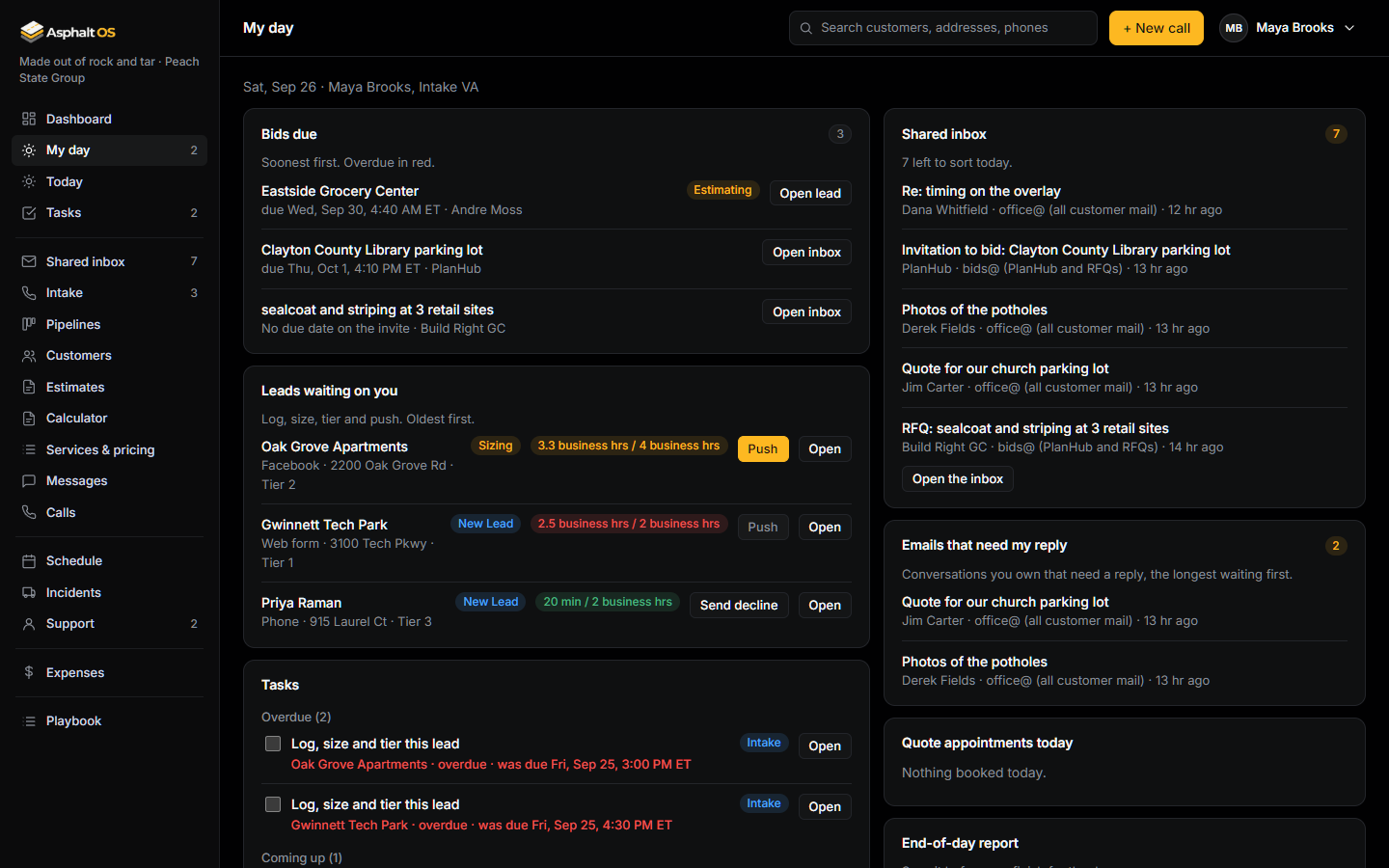
Every email to office@ and bids@ is a conversation: who is in it, which record it belongs to, who owns it, and whether it needs a reply. The latest email in it is still one of five things: a new lead, a bid invite, an active job, vendor or admin, or noise. Pick one and it is filed where it belongs.
- The banner counts the conversations that still need a reply and turns red from 4:30 PM. If it isn't in the system by the end of the day, it doesn't exist.
- Reply from the app, from the brand's own address, through the same outbox as every other letter; the conversation waits on them until they answer. Private notes and @mentions for your people.
- Rules you write in plain words sort and assign each email the moment it arrives, before anyone opens it: "When the sender's domain is planhub.com: put it in Bid invitation and assign it to Andre Moss." No AI involved.
- With your own Anthropic key, an AI assistant sorts what no rule sorted, sums up long conversations and puts a card on an email with the lead, bid or bill it found, and the sentences it relied on, for a person to create with one click. It creates nothing by itself and sends nothing by itself unless the owner lets it answer the categories they pick (each such reply marked "Sent by the AI", with a task for a person to check it), the attachments' contents stay in unless the owner says otherwise, and a daily cap keeps its cost in hand.
- Suggest a reply drafts the answer in your own voice, for the person who asked alone, from the conversation and only the facts they may see, with a warning when it mentions a price or promises a date; they check it and press Send.
- A conversation left without a reply for 4 business hours gets a task and an alert for its owner, and a morning digest tells the owner what waits, who owns it and what came in.
- Search by a name, an address, words in any message, a date range or an attachment.
- A bid invite becomes an opportunity with its due date; the attachments go with it.
- Your company's own mailbox (Google Workspace or Microsoft 365) feeds the inbox once it is connected, the Sent folder included; the owner can have each reply sent from here copied into that Sent folder, and older email text let go while the mailbox keeps it.
Read more: The shared inbox and company mailbox, Today, My day and tasks.
Pipelines with rules
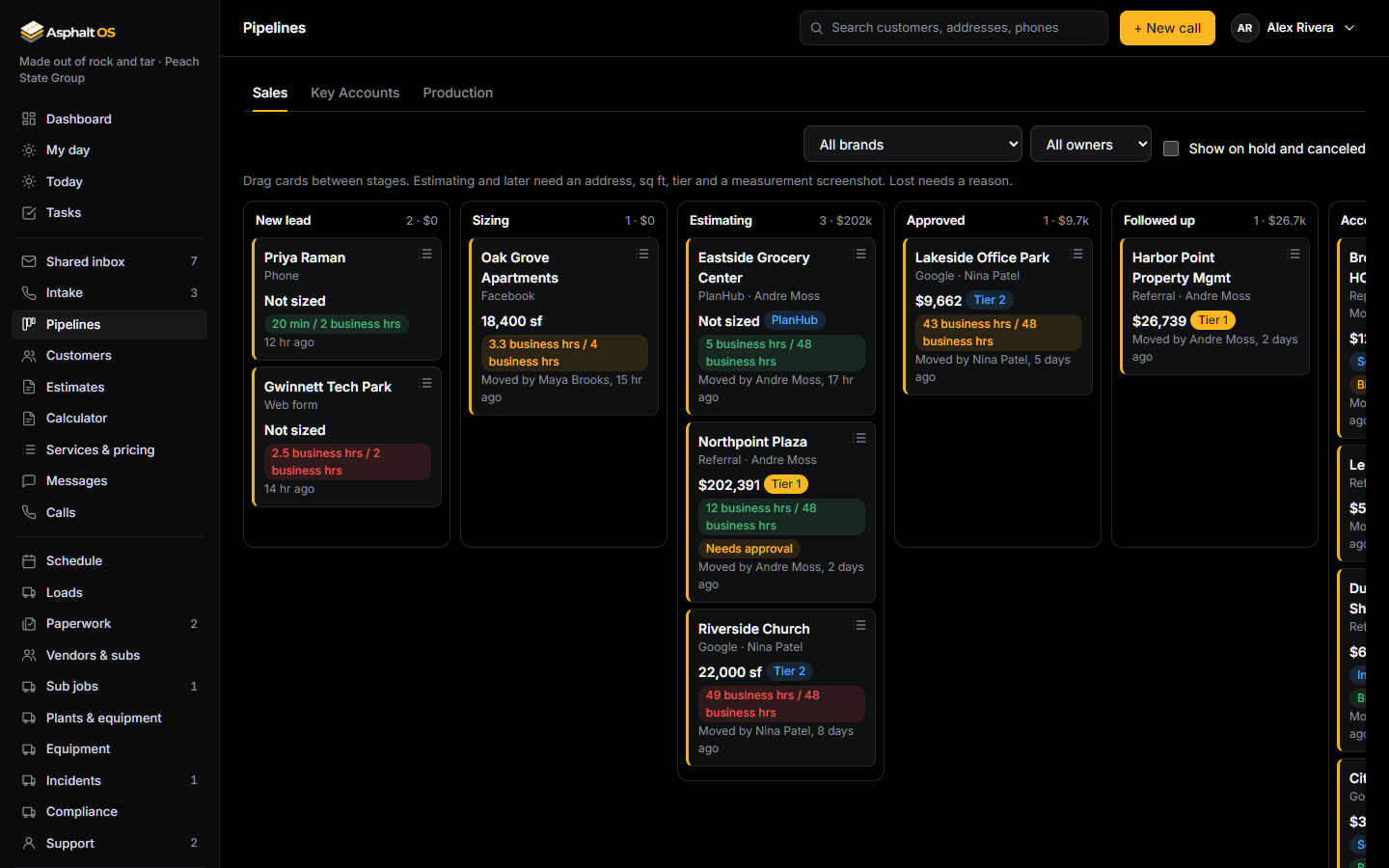
Three boards: Sales, Key Accounts and Production. One status for every job wherever it appears: New lead, Sizing, Estimating, Approved, Followed up, Accepted, Scheduled, In progress, Complete and Closed, plus Lost, Canceled and On hold.
- The database refuses skipped steps: Estimating needs the size, the tier and a screenshot; Accepted needs a quote the customer received; Lost needs a reason.
- Every stage has a clock in business hours. When it runs out, the right person gets a task. A lead nobody has touched for two working days gets a "Touch base" task.
- Each card says who moved it last and when. Leads, jobs, tickets and sub jobs each have a comment thread with @mentions.
- Estimators see only their own leads. The Controller can look, but not move.
Read more: Pipelines and lead stages, One status for every job.
The customer book
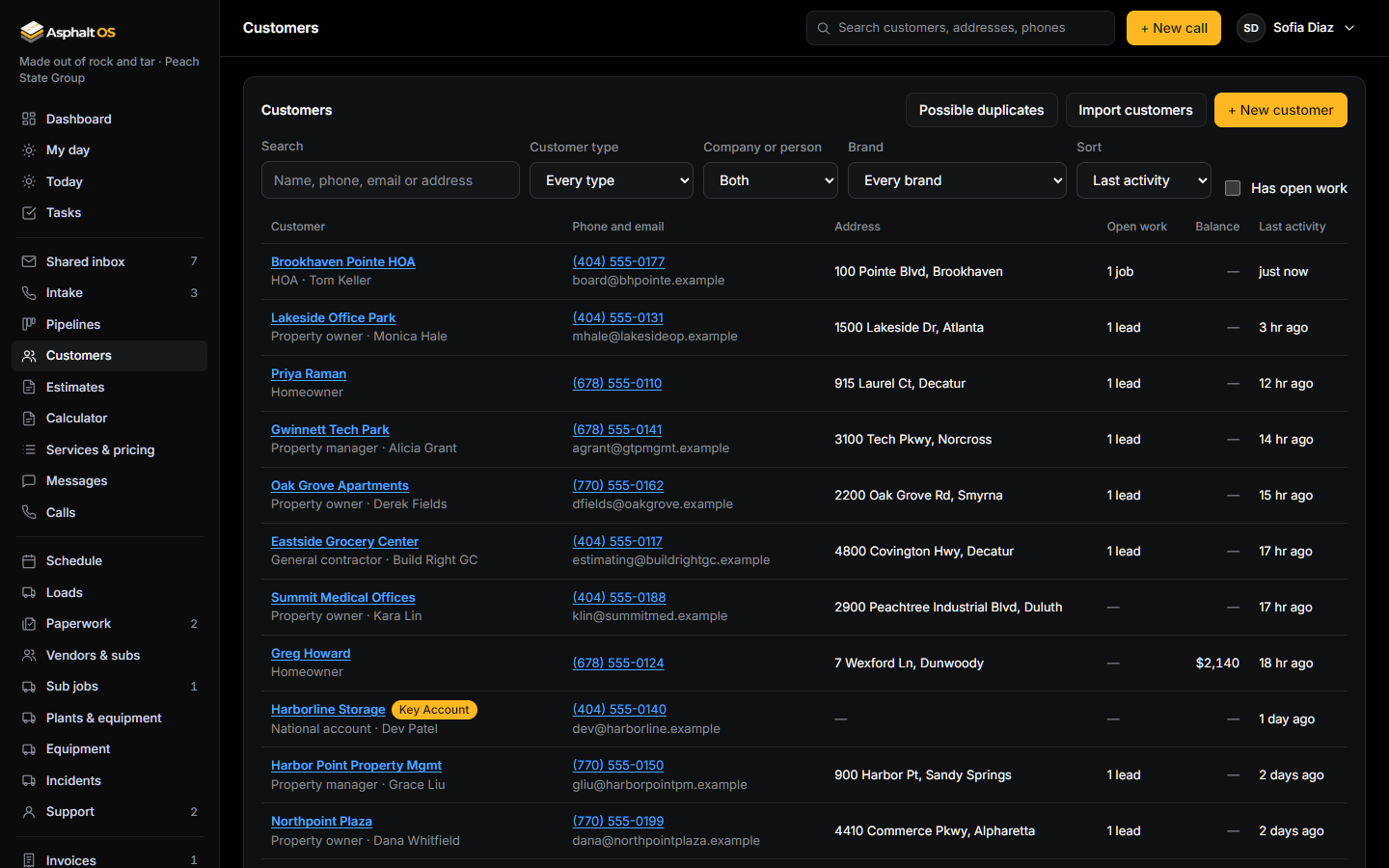
Every customer on one list, searchable by name, phone, email or address, with how much open work each one has and, for the people allowed to see money, what they still owe.
- Bring your customers in from any spreadsheet saved as CSV: Excel, Google Sheets, QuickBooks or another CRM. A practice run shows what every row would do before anything changes, and an import can be undone.
- Customers already on file are matched by phone and email; only their blanks are filled.
- Imported people get no message, and a phone number in a spreadsheet is never taken as permission to text. Importing is its own permission: the owner, the Controller and the Office manager to start.
- Two customers that are the same person? Merge with another customer moves every lead, job, invoice, message and ticket to the one you keep, and a Possible duplicates list finds the pairs.
Read more: Customers.
A profile for every customer
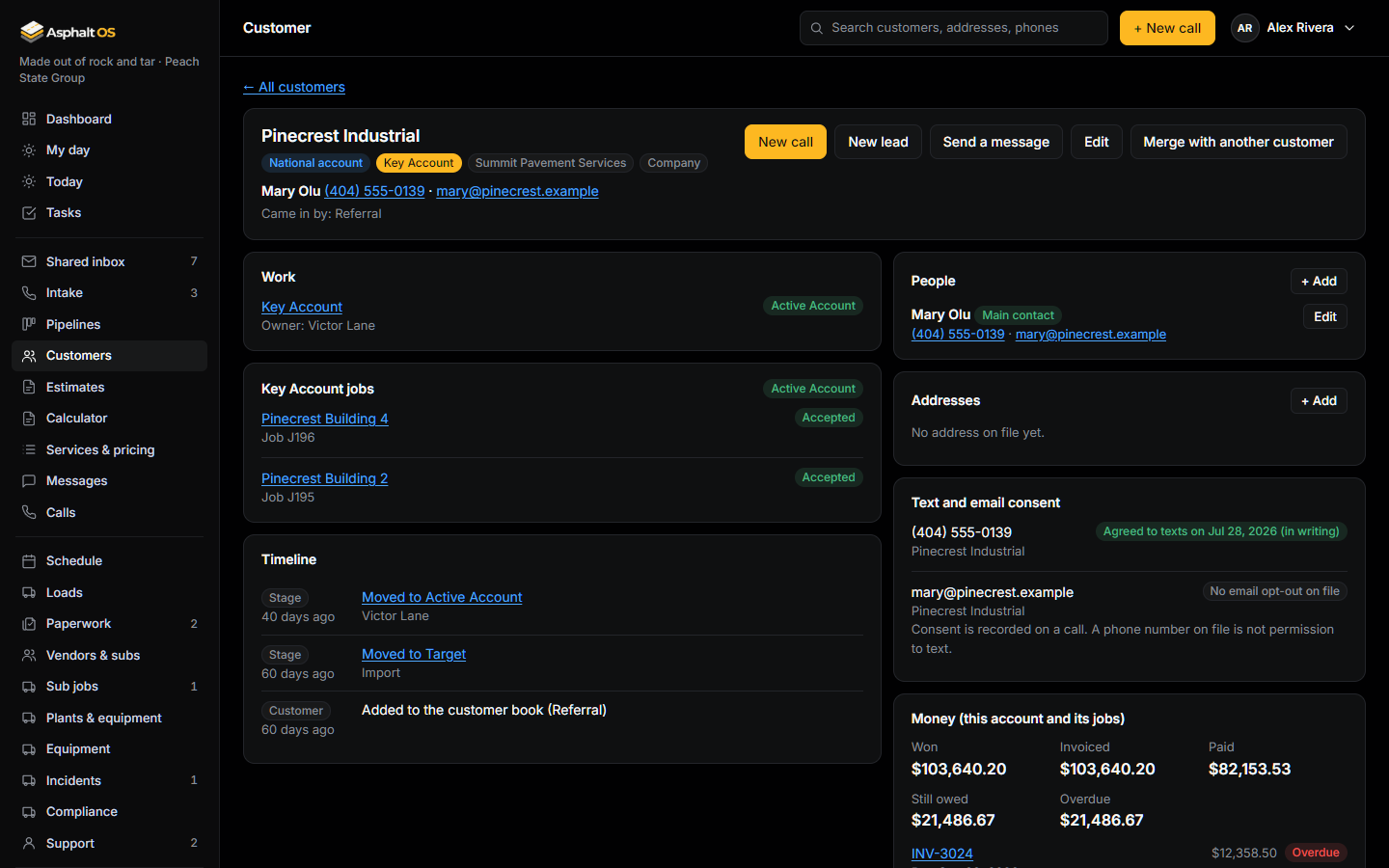
One page per customer: their people and addresses, whether they agreed to texts, their leads, jobs and tickets, the money, and one timeline of every call, quote, job, invoice and message.
- When a caller's number is already on file, Intake says so and adds the call to that customer instead of making a second one.
- New call, New lead and Send a message are one click away. A Key Account shows all of its jobs together.
- The lead, the estimate, the invoice and the ticket all link back to the customer.
Read more: A customer's profile.
Estimates, approvals and the customer's signature
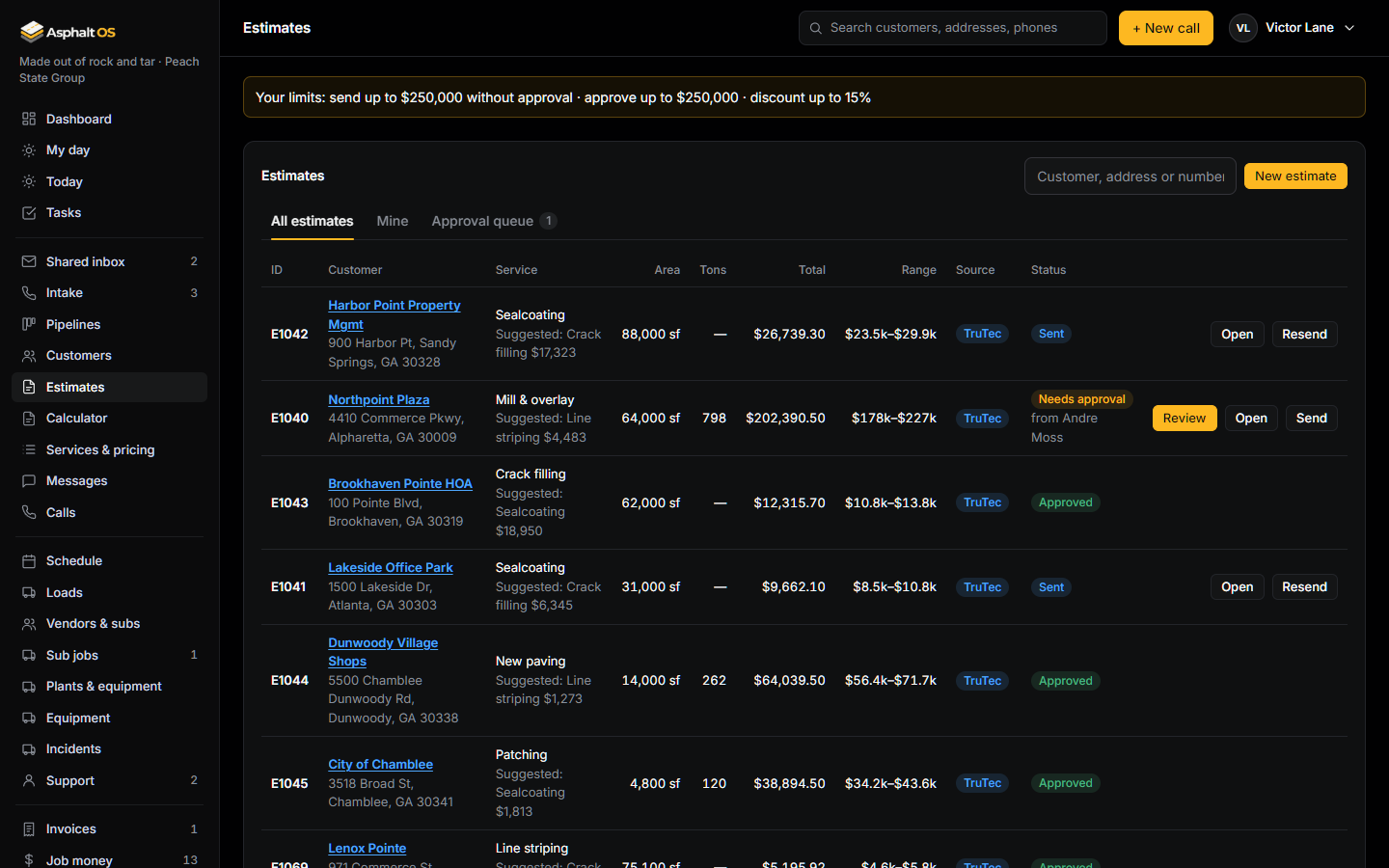
An estimate starts from your standard prices. It goes out straight away unless one of three things is true: the total is over the sender's limit, a line isn't at the standard price, or there is a discount. Then it needs approval, and the database won't let it be marked sent without one.
- Nobody approves their own estimate, or above their own limit. The approver sees exactly which prices were changed and by how much.
- Sending emails the proposal PDF and texts "Estimate ready" (with consent). Both carry a private link, made as the message leaves, where the customer reads the quote and signs or declines it. Signing moves the lead to Accepted and starts the handoff.
- The office sees "Viewed by the customer on ..." and then "Signed by ..." or "Declined on ...". Each company writes its own quote terms, and every signature keeps the exact words agreed to.
- Proposals, estimates and invoices are real PDFs, branded per business unit.
- Follow-ups go out on their own: an email after one business day, a text after two.
Read more: Estimates, proposals and approvals, Services and pricing.
The asphalt calculator and per-ton pricing
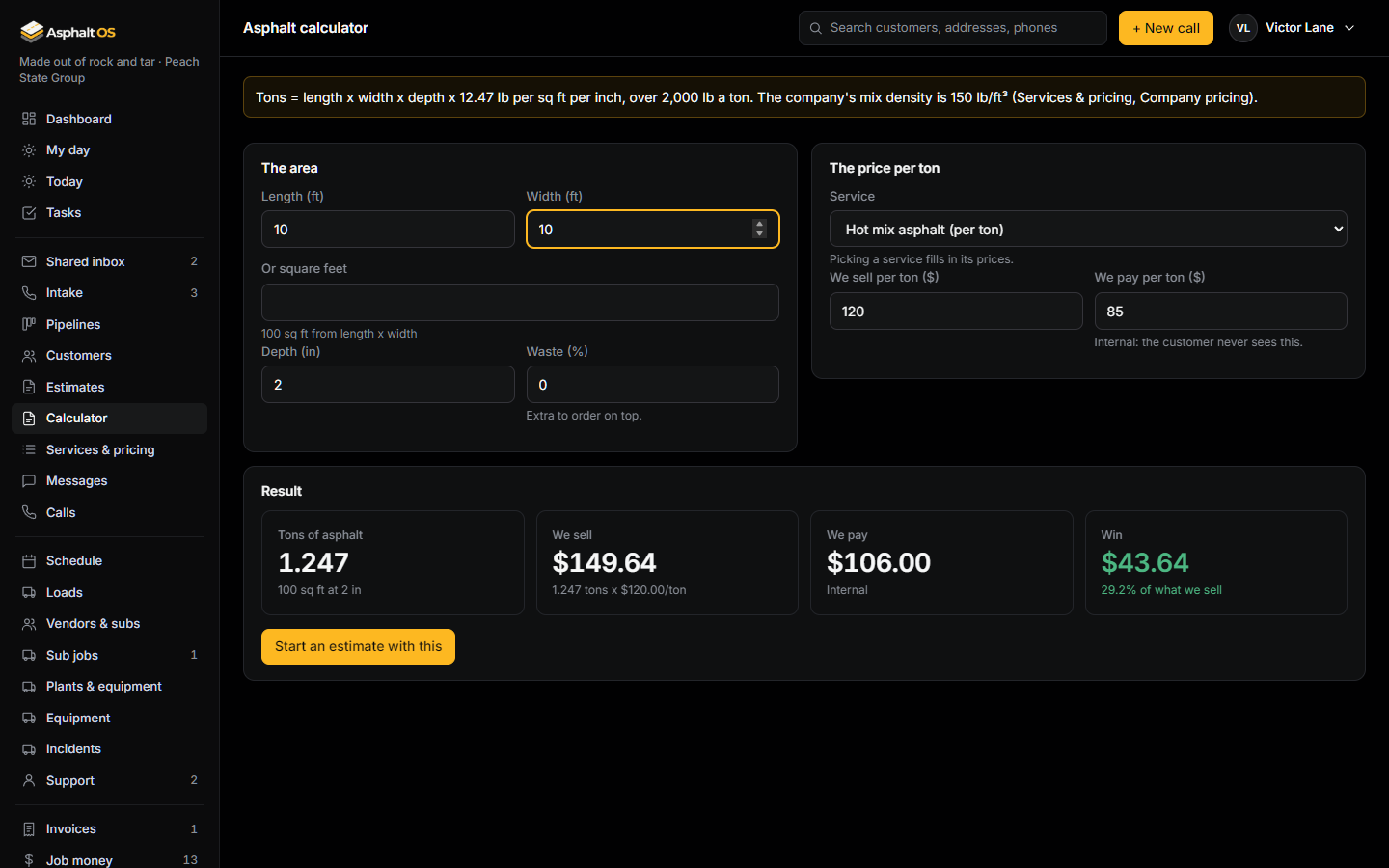
A service can be priced per ton instead of per square foot. What you sell a ton for goes on the estimate; what you pay per ton stays inside the office, behind its own permission. The difference is the win or loss on the quote.
- Length x width x depth, at your company's mix density, plus a waste percentage. A new company starts at 149.64 lb per cubic foot, so 10 ft x 10 ft x 2 in = 1.247 tons.
- "Start an estimate with this" carries the numbers onto a new estimate.
- Once the job runs, the tons on the estimate sit next to the tons delivered on load tickets and the tons the crew reported.
Read more: The asphalt calculator and per-ton pricing.
Texting and email, with consent
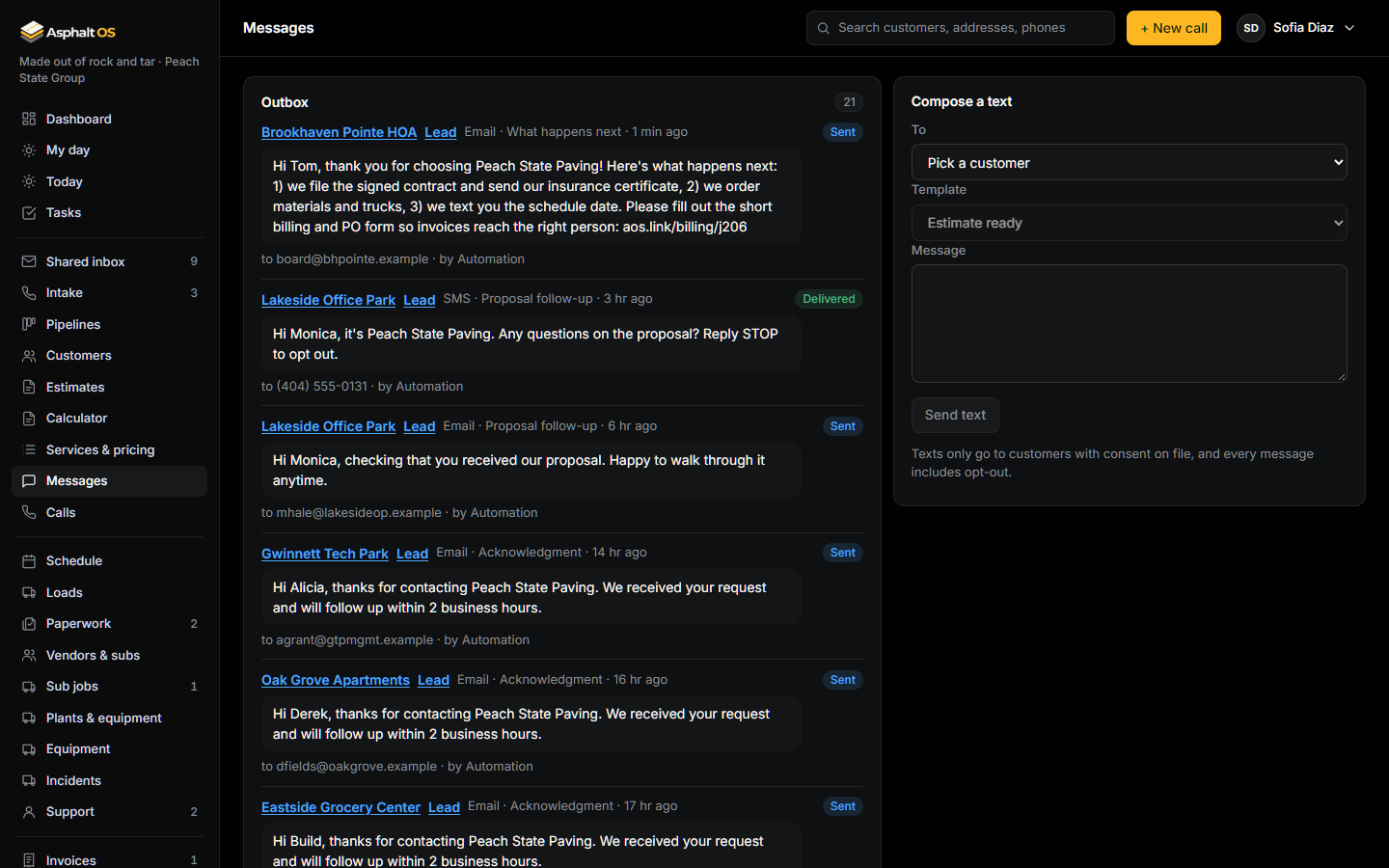
No text goes out without texting consent on file. The database checks when the text is written and again when it is sent. Every text ends with "Reply STOP to opt out", and STOP is always respected.
- Messages is the outbox: every email and text with its status. A blocked text offers "Send by email instead".
- Templates for the moments that matter: Estimate ready, Proposal follow-up, Crew on the way, Rain delay, Job complete, Invoice, Maintenance reminder. The customer's real quote or pay link is made by the background worker as the text leaves, so a working link never sits in the outbox.
- Texts go through your company's own Twilio number. Emails go out from each brand's sending address.
Read more: Messages and texting, Connections.
For the owners: Ask Asphalt and the playbook
Ask Asphalt shows the owners a live snapshot of the business: the open pipeline, wins, cash collected, money owed, bills due, crew days this week and tasks past due. With an AI key connected, you can ask questions about it in plain words. Nothing typed in the chat changes a record.
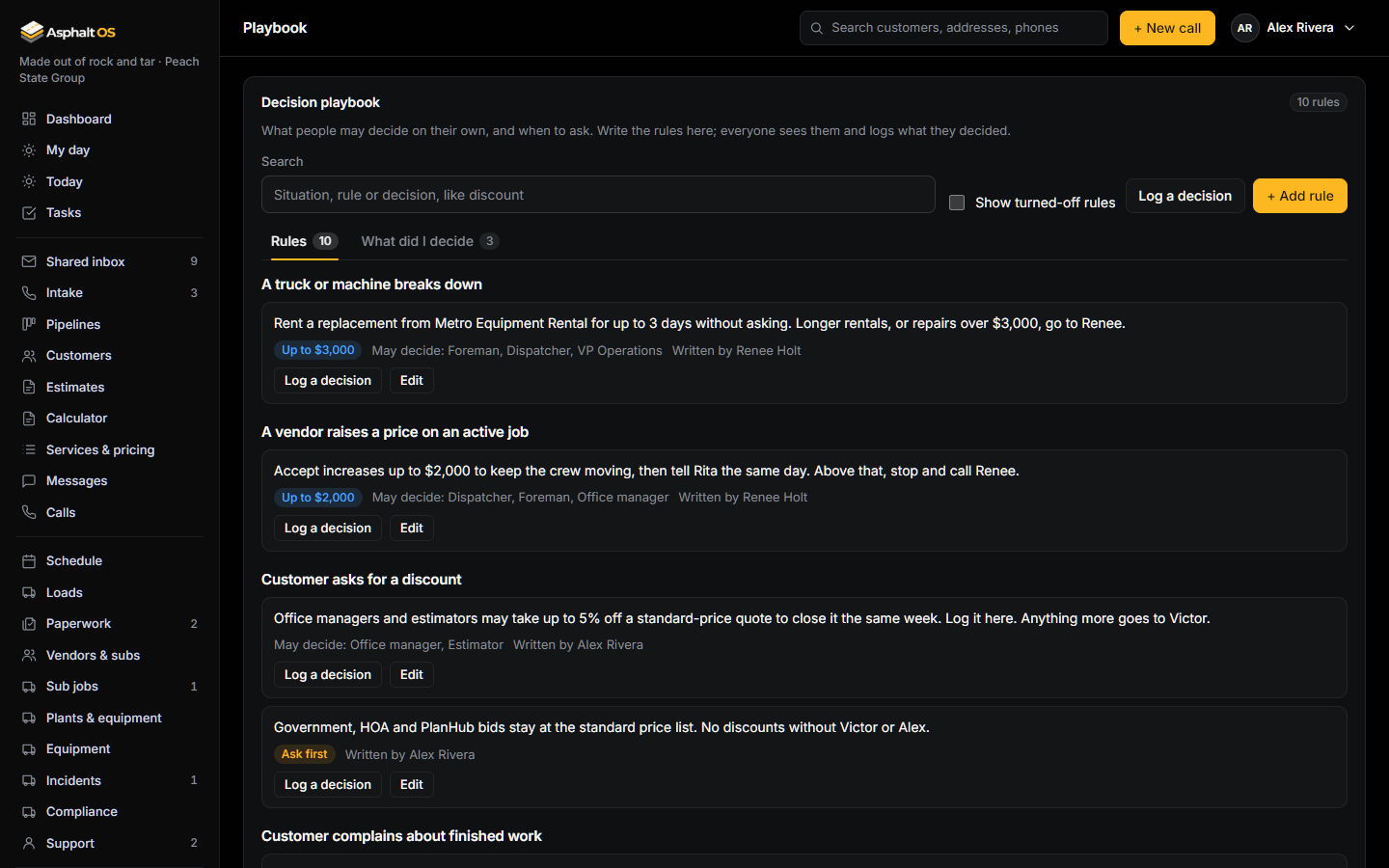
The Playbook holds your decision rules, so people can decide without waiting: "if the customer asks for this, you may do that, up to this amount; otherwise ask". Every decision someone logs under a rule is kept.
Read more: Ask Asphalt and the playbook.
See it with your own jobs
The demo opens in your browser with a sample paving company. Or tell us about your company and we will walk you through the real thing.