

Operations
The work itself, one week at a time
Quote visits on one tab, crews and jobs on the other, the weather on every job, and the day in the crew's pocket.
The schedule
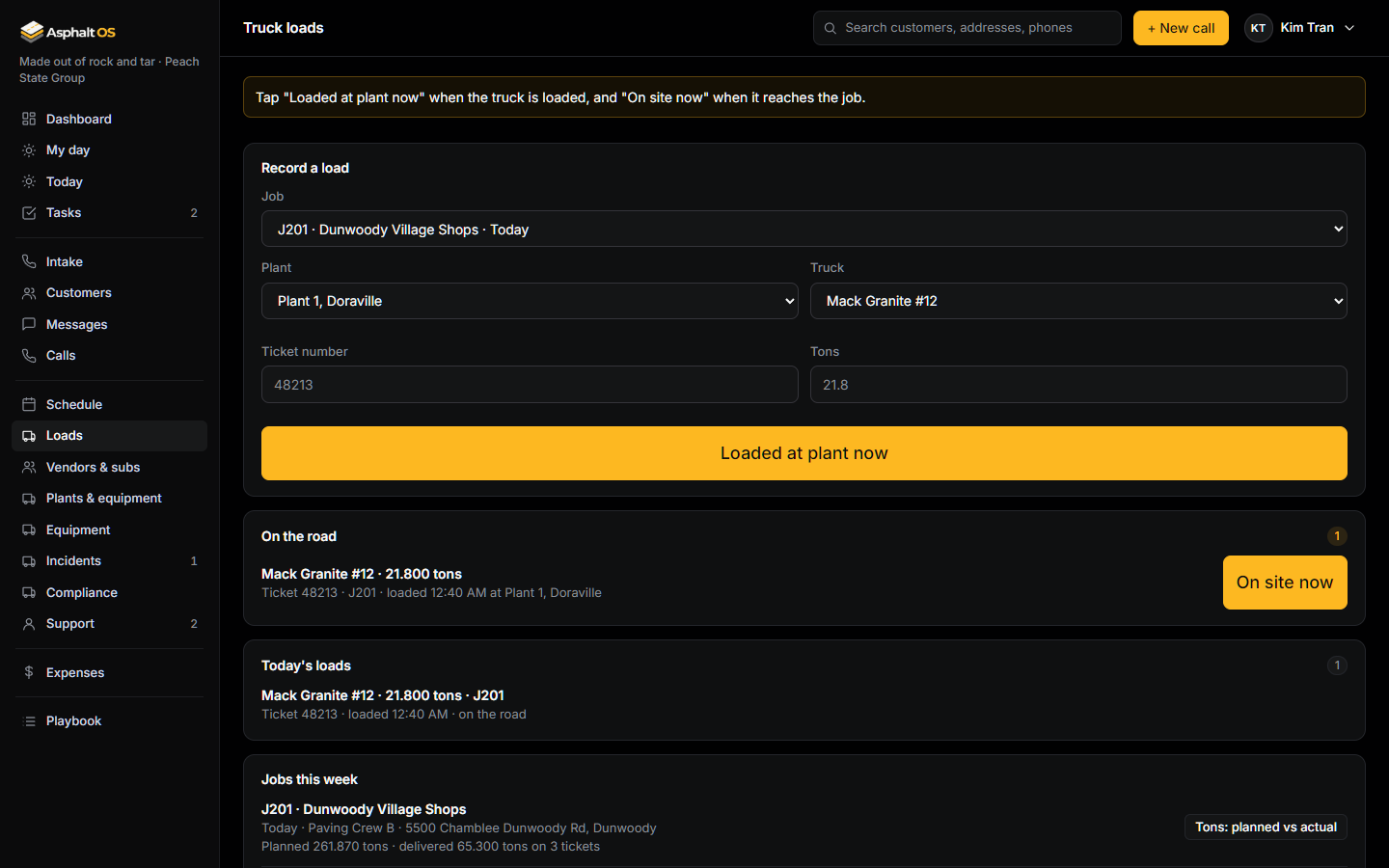
One week, Monday to Sunday. Quotes is the visits to measure and price, one row per estimator. Jobs is the crew board, one row per crew. Drag a job from Ready to schedule onto a crew and a day.
- Scheduling moves the job to Scheduled, closes the "Schedule date set" handoff task, texts the customer the date (with consent) and creates the order tasks: asphalt, equipment and trucking.
- Nobody is booked twice at the same time. A unit that is out of service can't be put on a job.
- Foremen and crew members get a simple list of their crew's jobs: day, address, scope, weather, access notes, contact and directions. Never a price.
Read more: The schedule, Why crews never see prices.
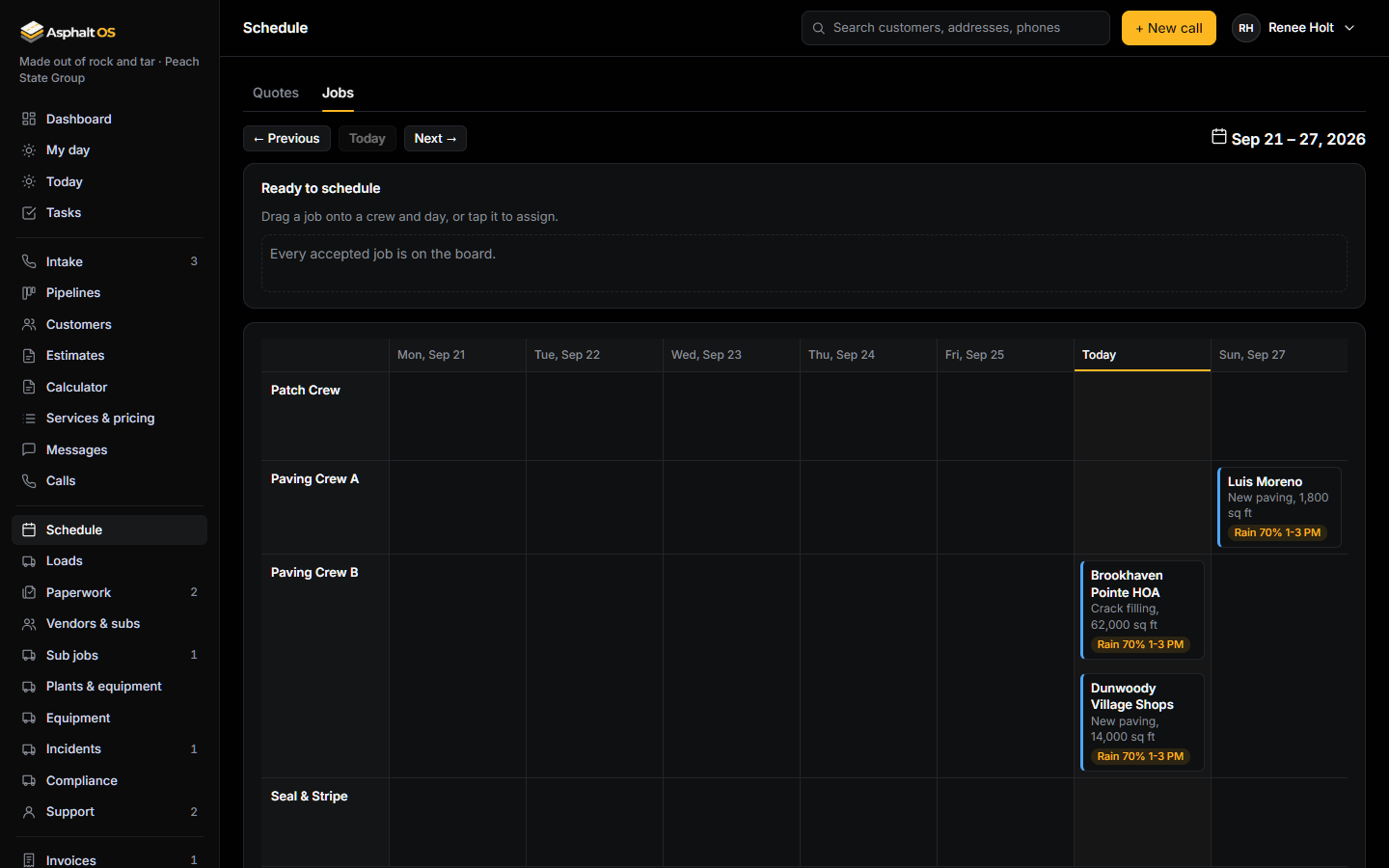
Weather warnings
Asphalt OS watches the forecast for every scheduled job every half hour, for today and the next two days, over the crew's working hours. The forecasts come from the National Weather Service, a free US government service.
- Rain at 50% during the scheduled hours, cold below 50°F, heat above 95°F, wind at 20 mph, and any National Weather Service warning that stops paving. Change the numbers in Settings.
- Every job on the board, today and later, carries a tag: red for cold or a storm warning, amber for rain, wind or heat, green when it looks fine. Tap it to see every problem that day.
- The first time a limit is crossed, the operations person gets a task: "Rain 70% on ... Thu 1-3 PM: confirm or move it".
Read more: Weather warnings, Company settings.
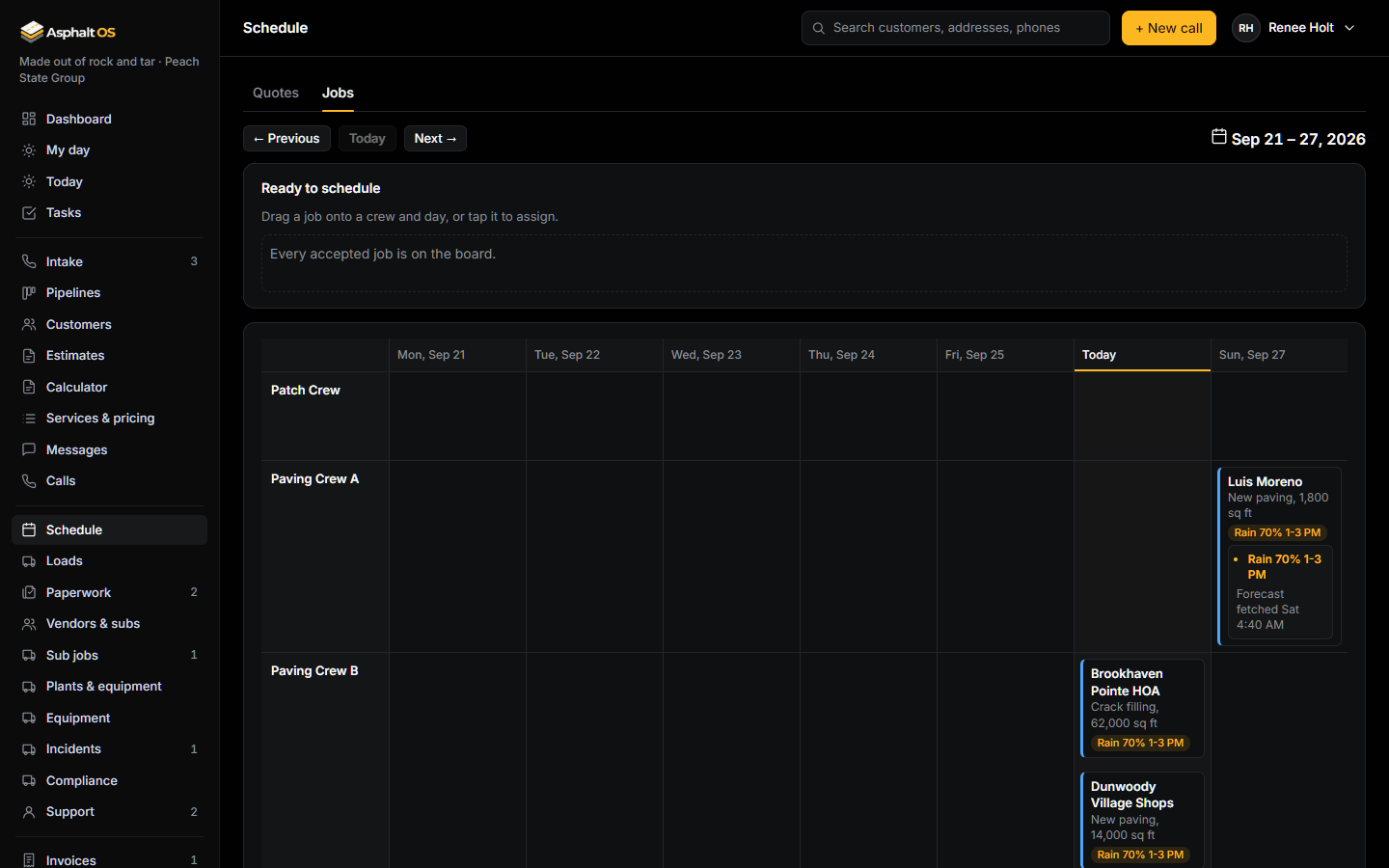
Today, made for the phone
Today shows today's quote visits and jobs as cards. Tap one for the full breakdown: the address with Directions, the scope, the contact with Call, the access notes, the crew and the start time.
- Add photo opens the phone's camera. Photos land on the visit or the job.
- Quick task: type it, or tap the microphone on the phone's keyboard and say it. It is linked to the job or lead.
- Prices show only to people who can see leads or invoices. Crews never see them.
- My day is where most people land: their bids due, the leads waiting on them, their tasks and their visits today.
Read more: Today, My day and tasks, Working on a phone.
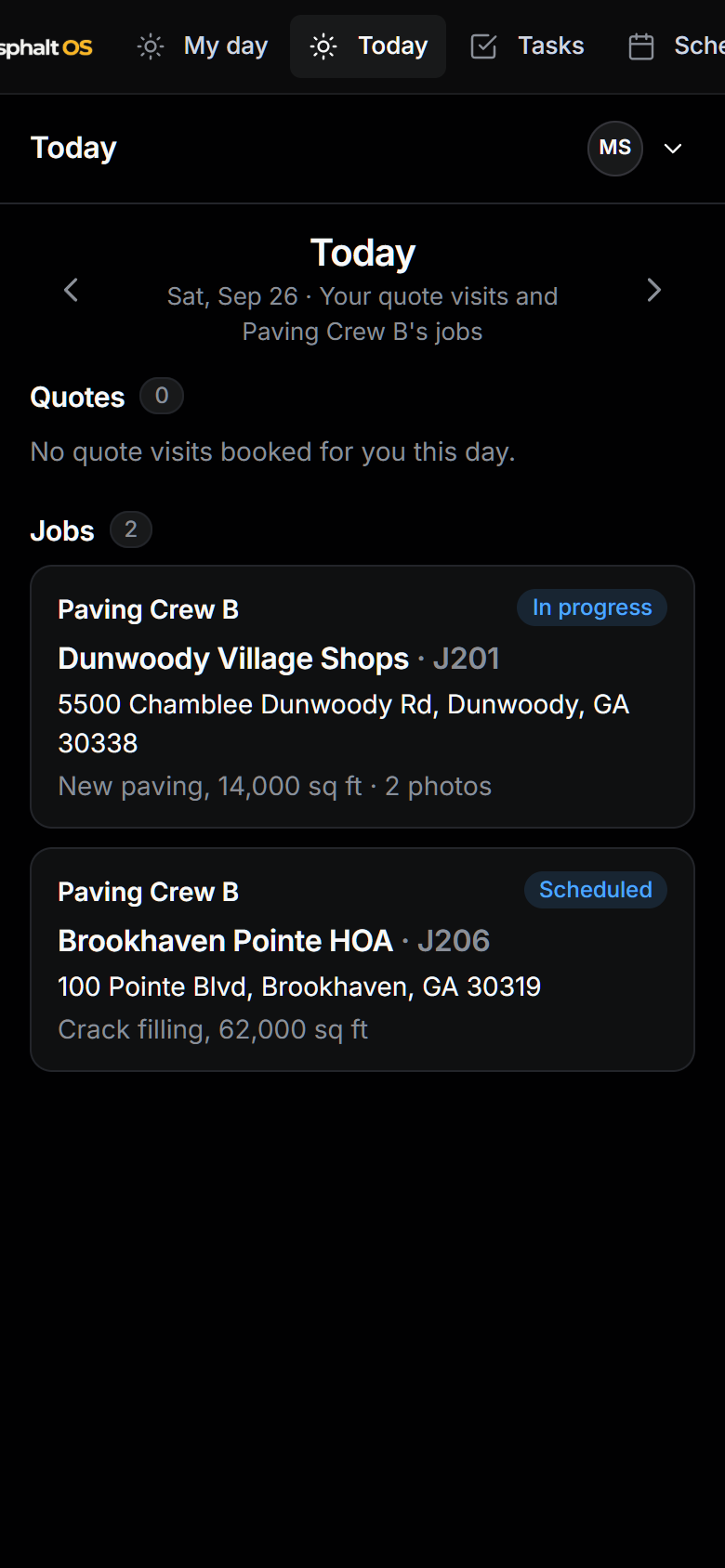
Truck loads and plants
At the plant, the driver fills in the job, the plant, the truck, the ticket number and the tons, then taps one big button: Loaded at plant now. At the job, On site now. The office sees the truck cycle.
- The same ticket number twice at one plant is refused. A loaded time can't be in the future, and the arrival must come after the loading.
- Tons planned on the estimate, delivered on tickets and reported by the crew, side by side, with the difference.
- Each job shows its five nearest asphalt plants. When a job is scheduled, the dispatcher gets "Order asphalt: about ... tons", worked out from the estimate with 5% waste.
Read more: Truck loads and plants.
Paperwork and the handoff
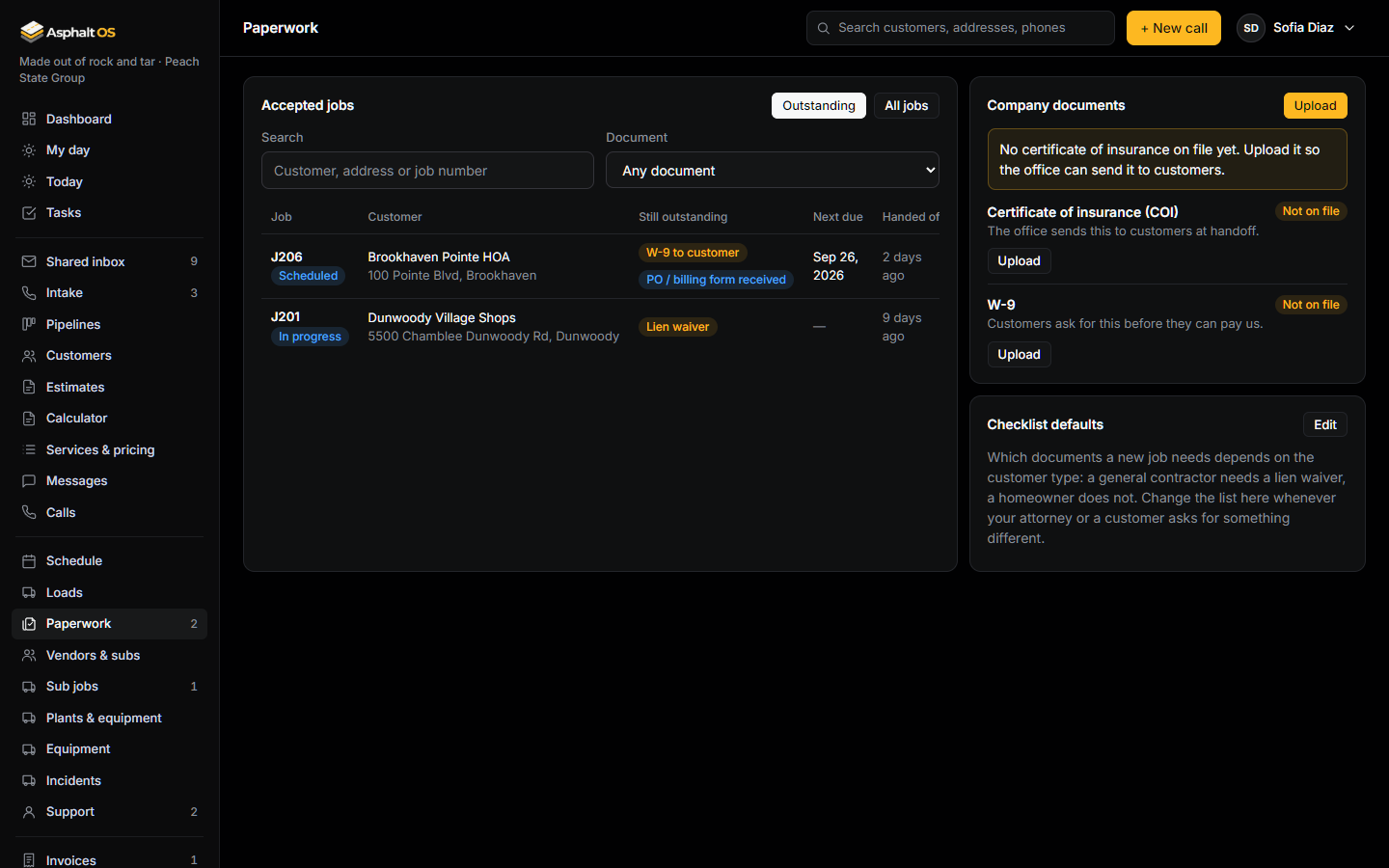
When a lead is Accepted, Asphalt OS creates the job, five handoff tasks (contract, COI, plant order, trucking, schedule date), the paperwork checklist and the notice-to-owner step when it applies, emails the customer what happens next with the billing form link, and alerts production.
- Each accepted job has a checklist: COI to customer, W-9 to customer, signed contract, PO or billing form, lien waiver, NTO, plus your own items. Which apply depends on the customer type.
- Upload your company COI and W-9 once. A Send button emails them to the customer and marks the item Sent. A task warns 30 days before your COI expires.
- The billing form is a link the customer fills in: accounts payable contact, PO number, billing address, tax status. If it isn't back within 27 business hours, the office gets a task to chase it.
Read more: Paperwork and the handoff.
Support tickets
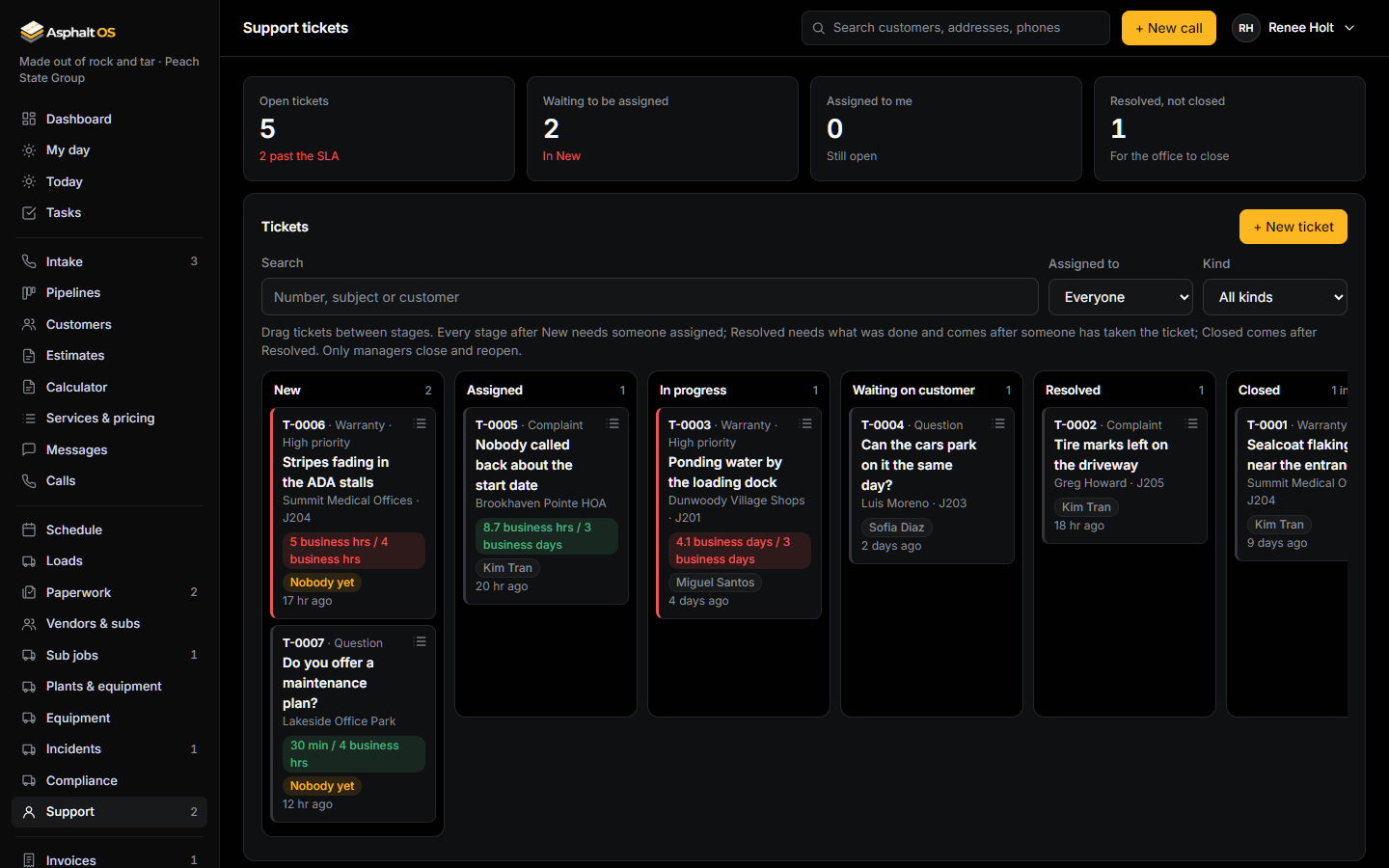
Warranty claims, complaints and questions from customers, on a board of their own: New, Assigned, In progress, Waiting on customer, Resolved and Closed. Each ticket is linked to the customer and the job.
- A response within 4 business hours while a ticket is New; a resolution within 3 business days. Waiting on customer pauses the clock.
- Resolved needs a written resolution. Closing and reopening are for managers. A ticket is never deleted.
Read more: Support tickets.
Sub jobs
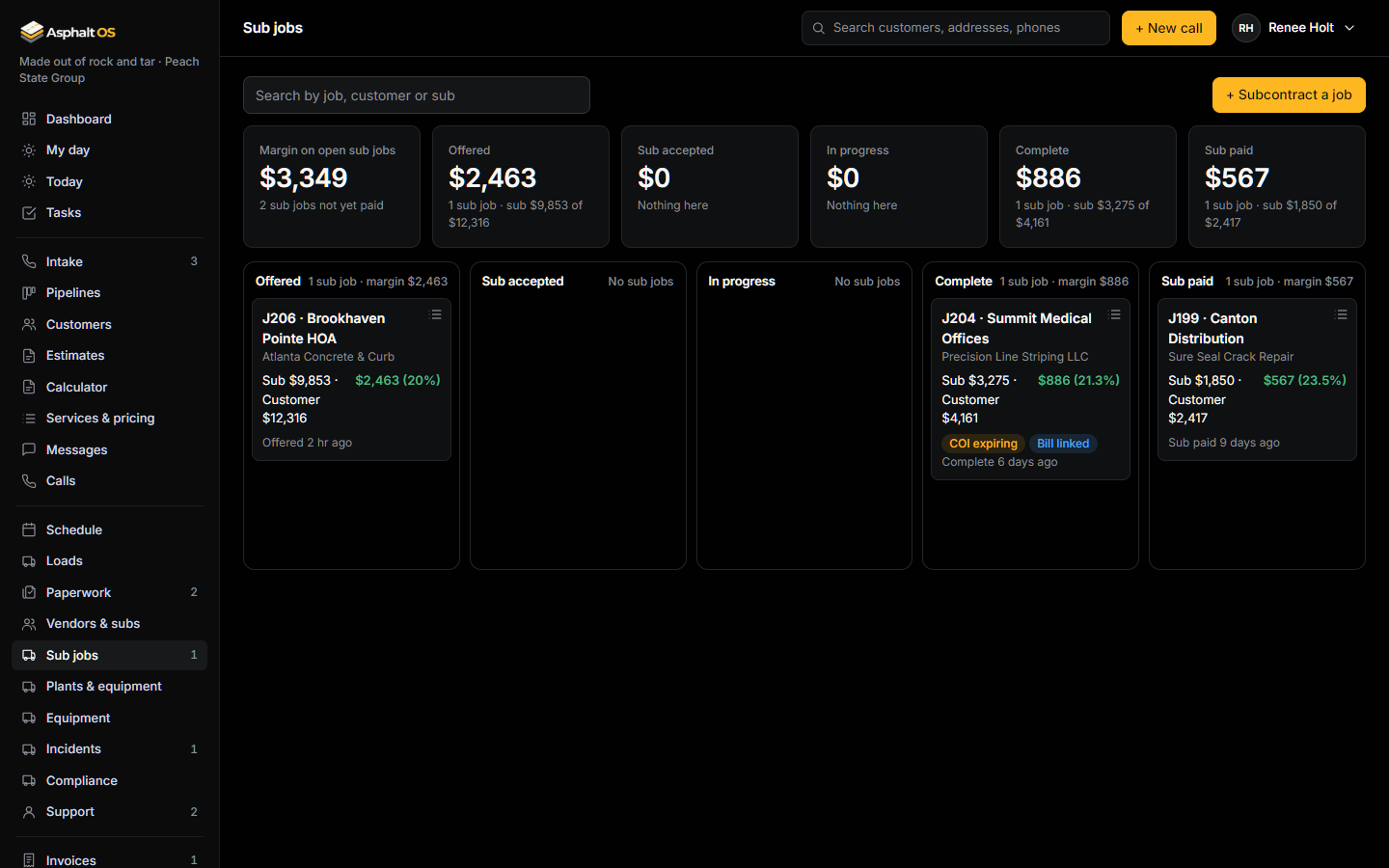
Hand a job to a subcontractor and keep the margin in view: the sub's price, the customer price and the difference, from Offered through Sub accepted, In progress and Complete to Sub paid.
- A banner warns when the sub's certificate of insurance is expired or missing.
- Sub paid needs the subcontractor's own bill, linked and paid on Bills and payroll. One bill belongs to one sub job.
Read more: Sub jobs and subcontractors, Vendors and subcontractors.
See it with your own jobs
The demo opens in your browser with a sample paving company. Or tell us about your company and we will walk you through the real thing.